 Sirocco
Smart mode
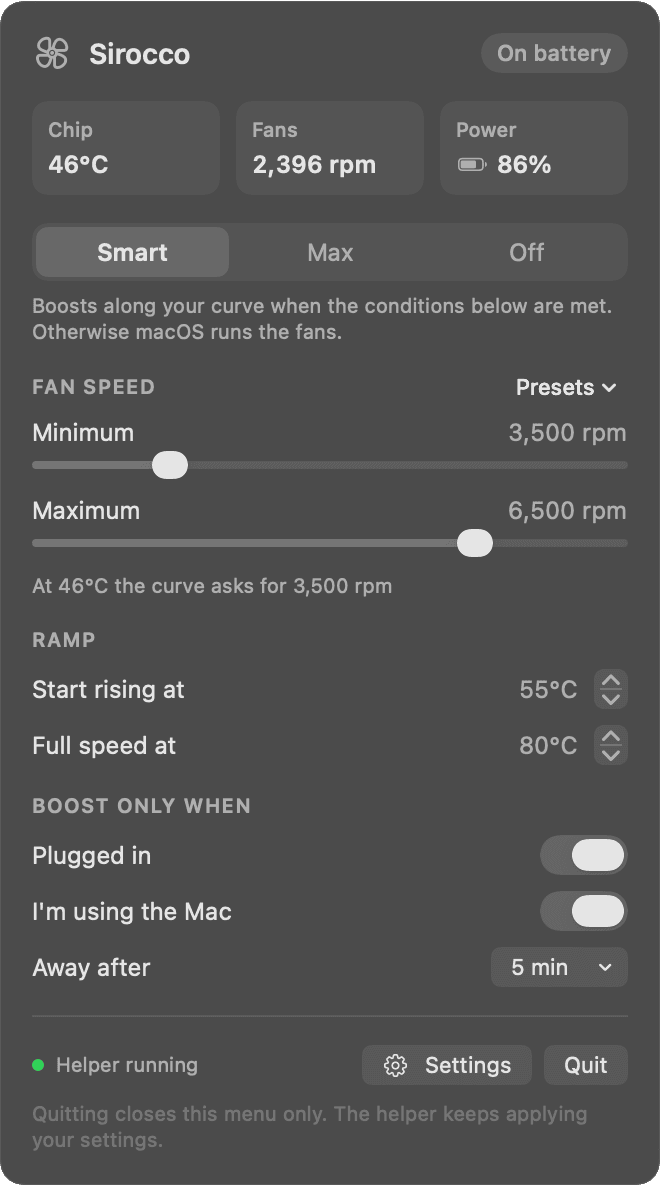
Fans follow your curve only while you're on power and using the Mac. Unplug or walk away and macOS takes over again.
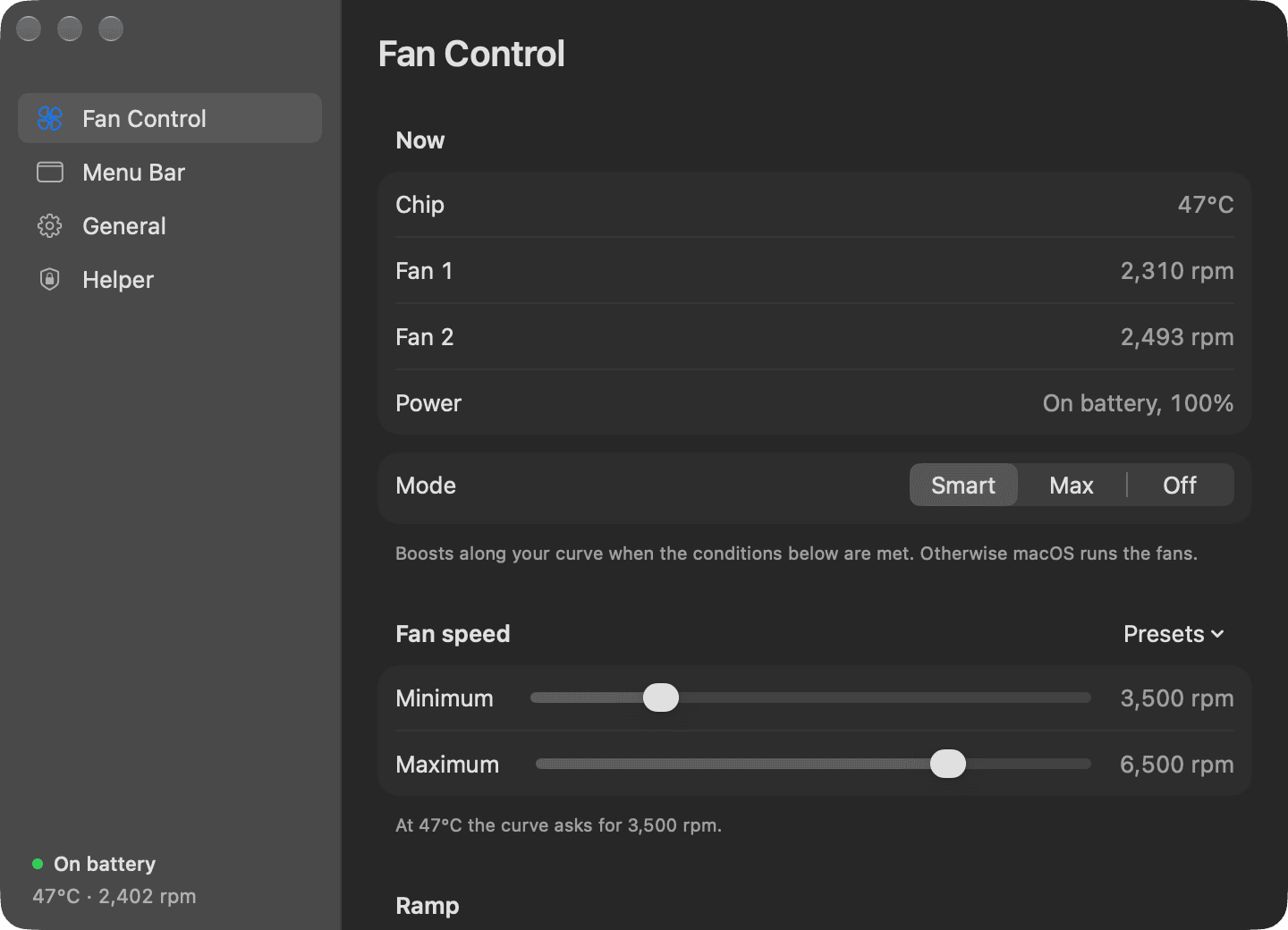

Sirocco spins your fans up earlier, on a curve you set, while you're plugged in and at your Mac. The rest of the time macOS runs them as it always does.
A MacBook keeps its fans near minimum until the chip is hot. Under steady work the aluminium soaks up that heat and the case gets uncomfortable to touch.
Sirocco starts the climb sooner. You choose where the ramp begins, where it reaches full speed, and how fast the fans may go.

With Sirocco
macOS on its own
Fans follow your curve only while you're on power and using the Mac. Unplug or walk away and macOS takes over again.
A fan icon that turns with the real fans, with temperature and speed beside it if you want them.
Quiet, Balanced and Cool, scaled to your Mac's own fan range.
Pin the fans at your maximum for a heavy job, or hand them back to macOS entirely.
Sirocco collects nothing. Its only network request is the update check, and updates are signed and verified before they install.
Changing fan speeds needs root, so a small helper inside the app does that and nothing else. The app and the helper each check the other's code signature before they talk.
Get the .dmg. It is signed and notarized by Apple.
Open Sirocco. The fan appears in your menu bar.
Switch on Sirocco under Allow in the Background in System Settings.

Free, open source, and out of your way. Needs Apple silicon and a Mac with fans.